NewAI that reads school flyers & recipes for you

Stop keeping track of everything in your head

Bestyr brings your calendar, lists, chores and meal planning together in one place — shared with the whole family and updated in real time. No more notes on the fridge, group chats or extra apps to keep on top of.

No card details Right in your browser The whole family included
Get the app
Download on theApp Store Get it onGoogle Play
QR code that opens Bestyr in the App Store or Google PlayScan with your
phone camera
Family content in the EU Up to ten in one family iPhone, Android and web Syncs in real time
Scroll
Sound familiar?

How many apps does a family really need?

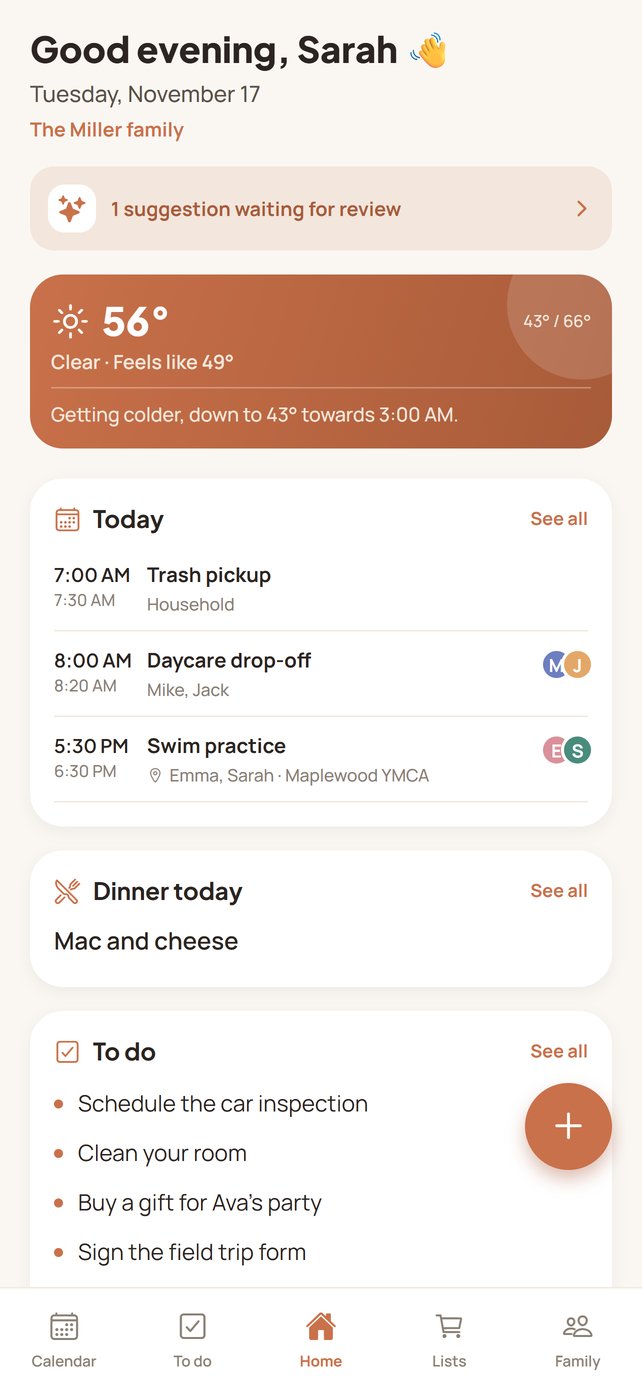
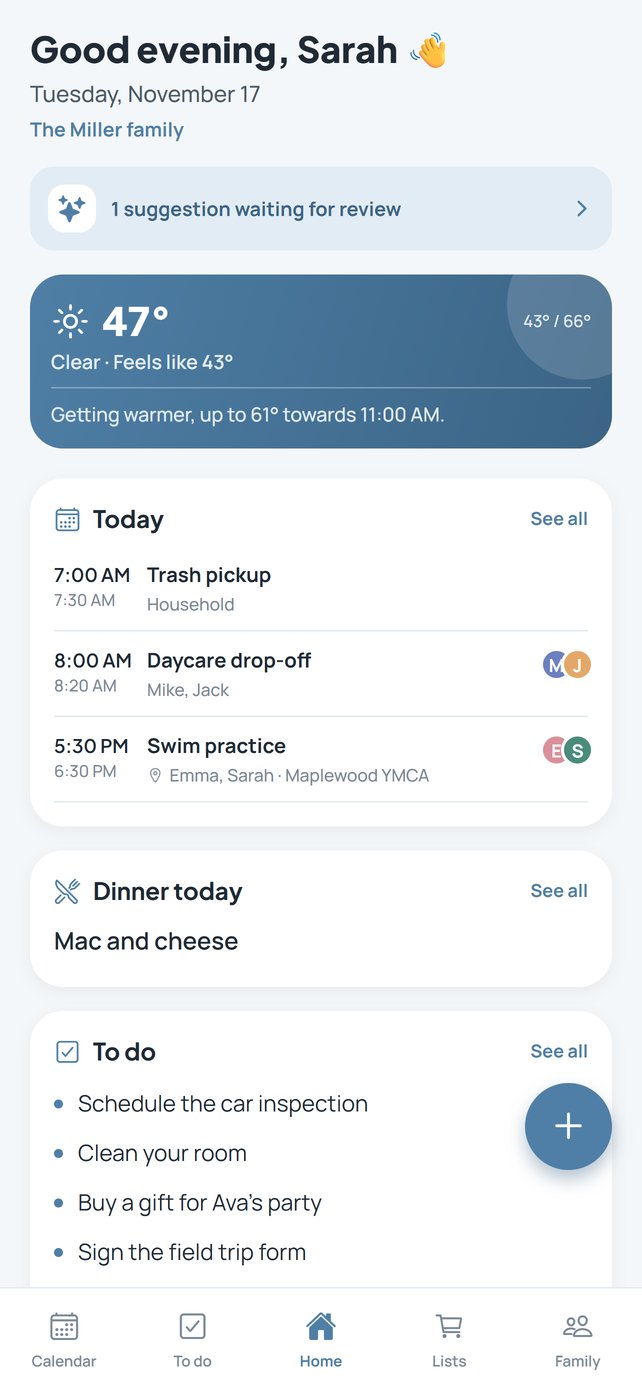
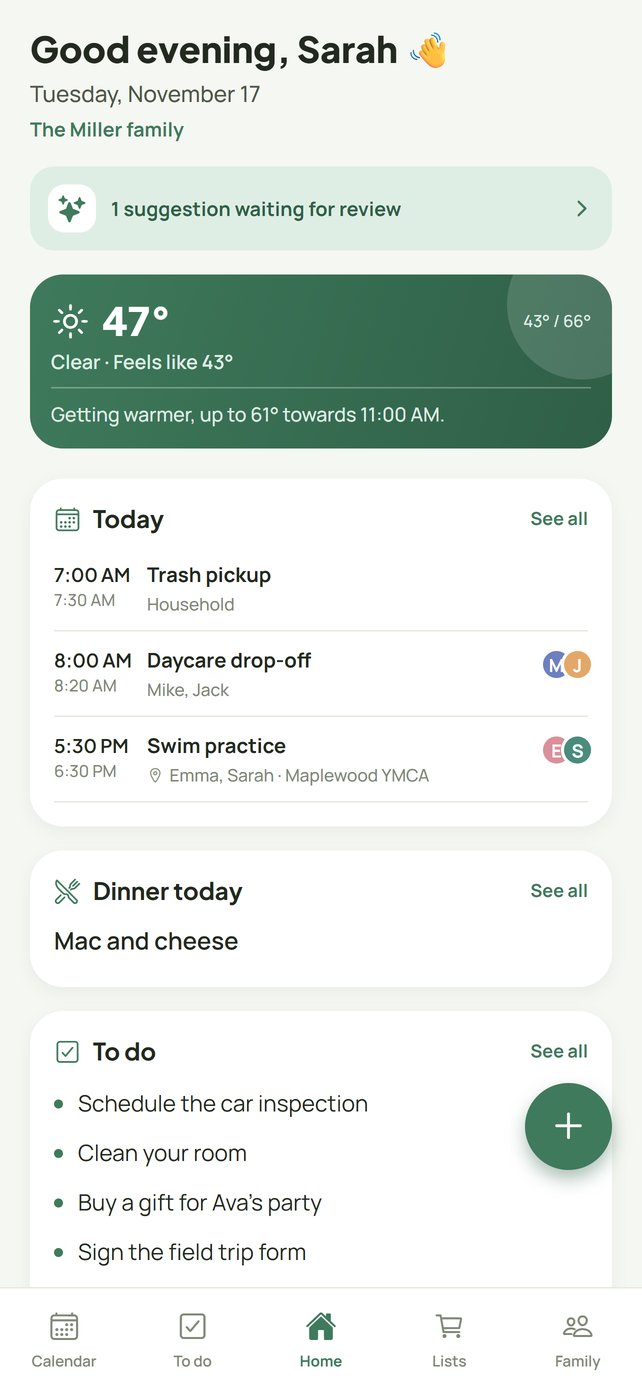
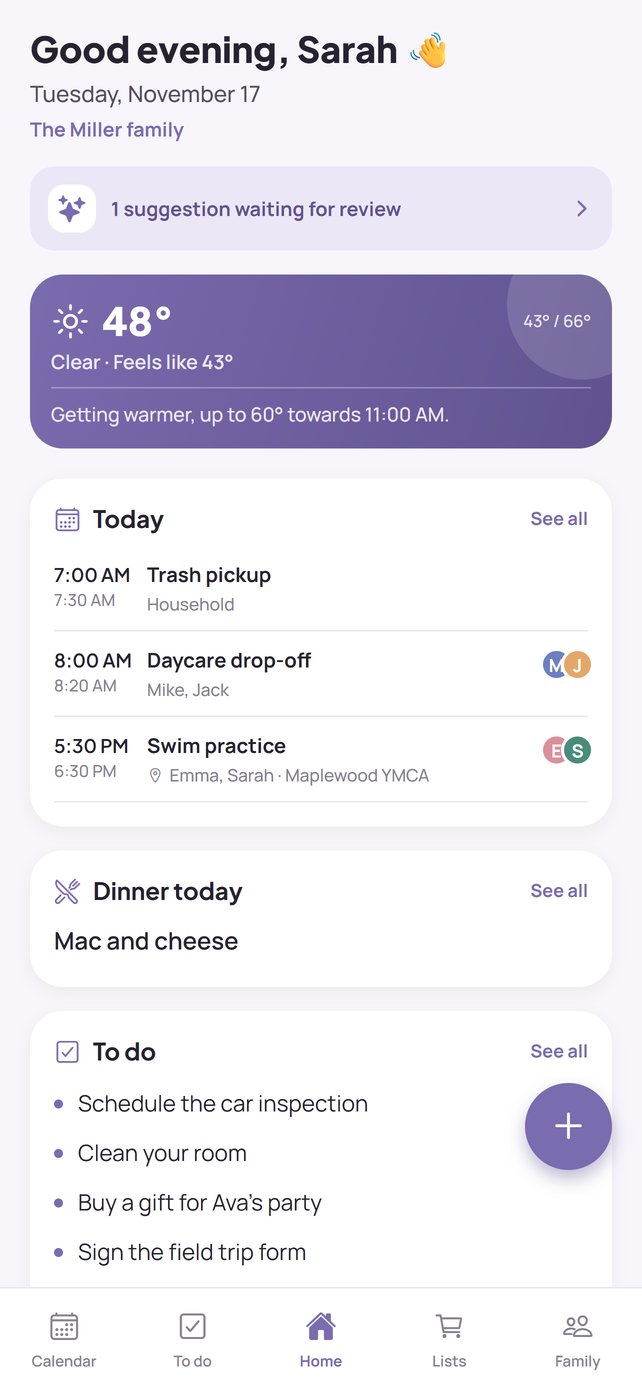
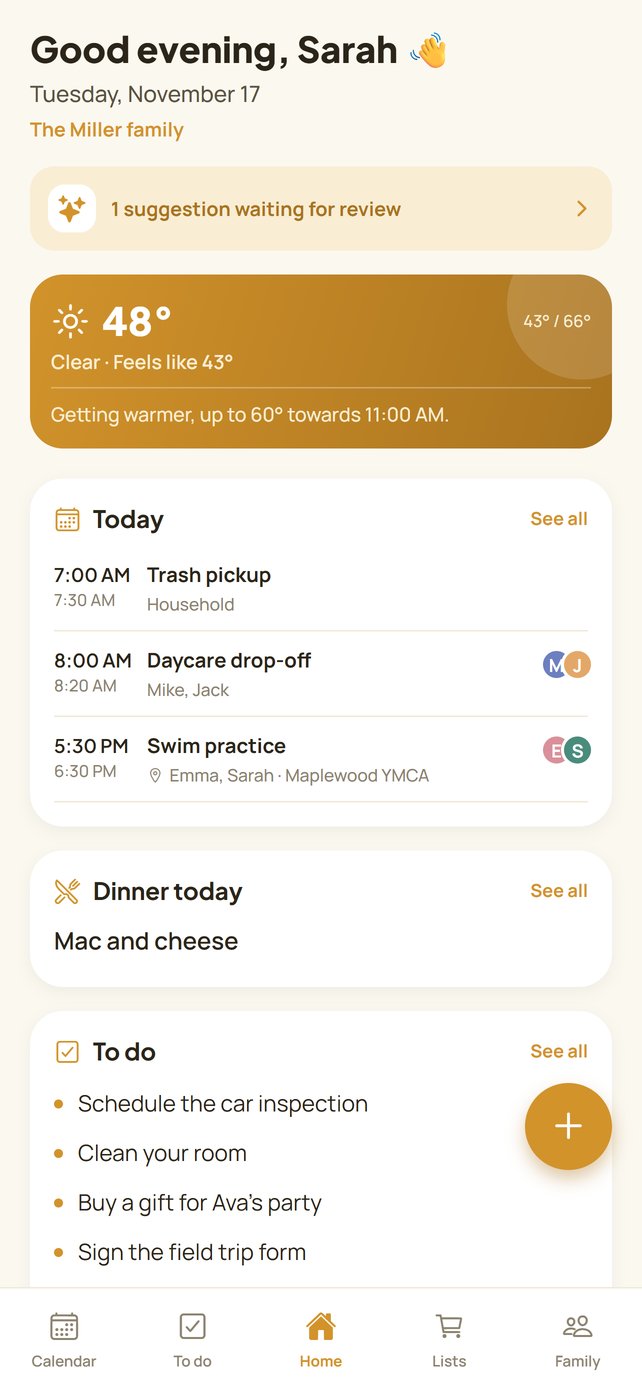
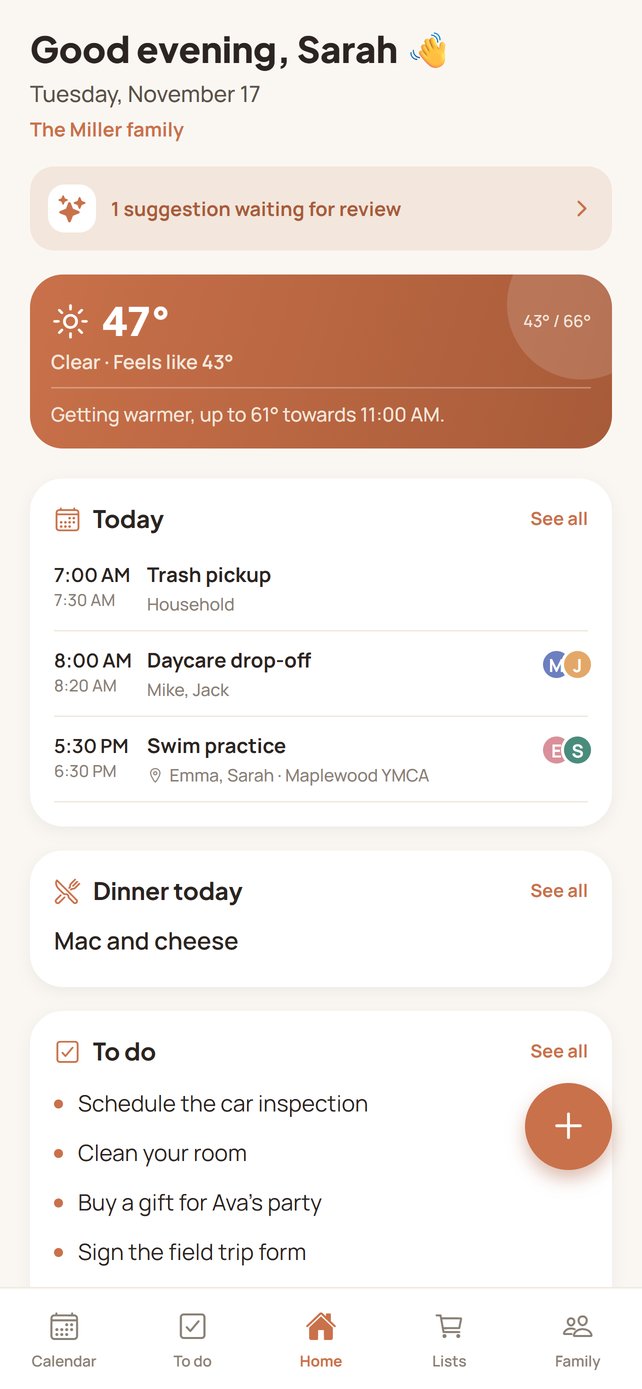
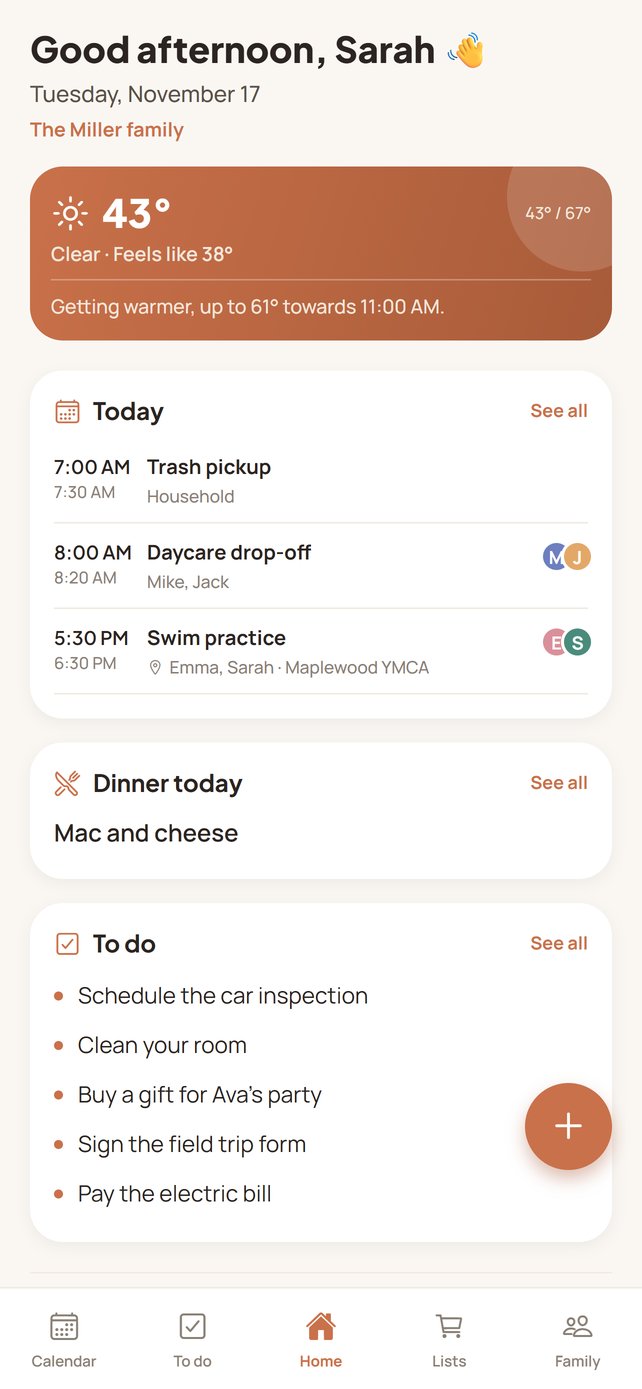
Bestyr’s home screen with today’s events, dinner and to-dos

A family doesn’t need more apps. It needs one shared place.

iPhone, Android and the web Up to ten people in one family
Smart input

Less admin. Calmer days.

Type it or take a photo. Bestyr understands what you mean and puts it in the right place, and you always see the suggestion before anything is saved.

  1. Write the way you talk

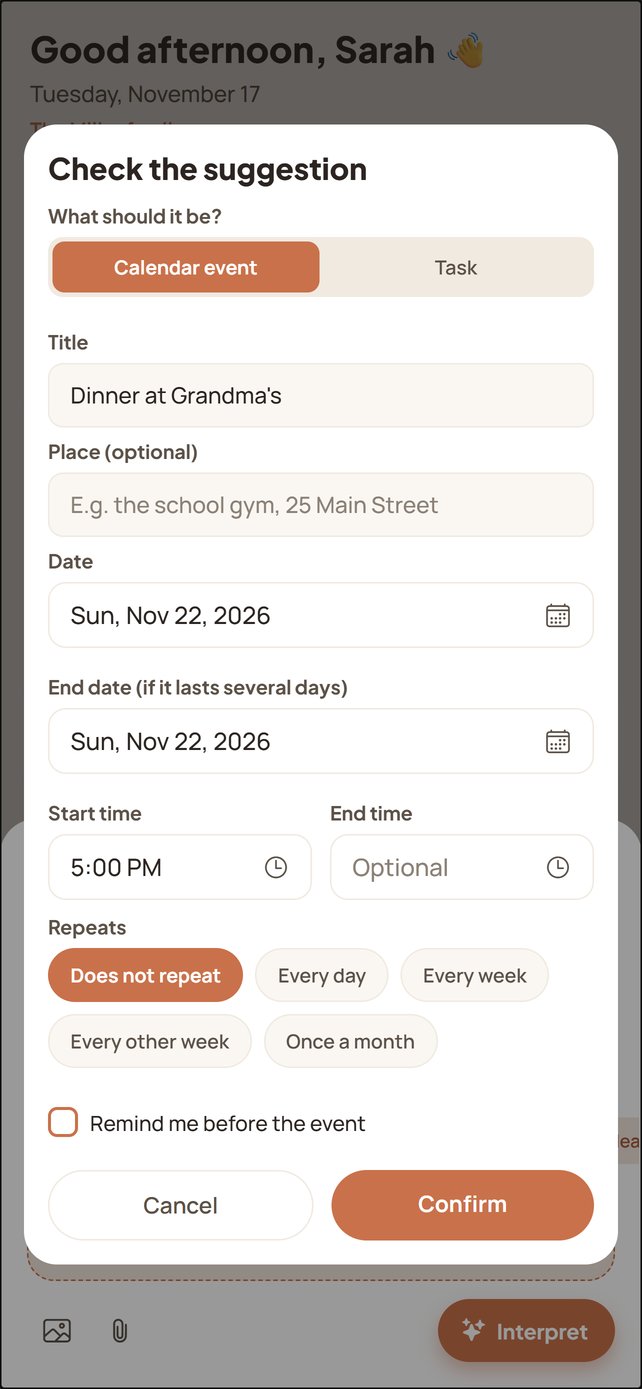
    “Dinner at Grandma’s on Sunday at 5 PM” is enough.

  2. Bestyr fills in the rest

    Title, day and time go into the right fields. Change anything you need to, then save.

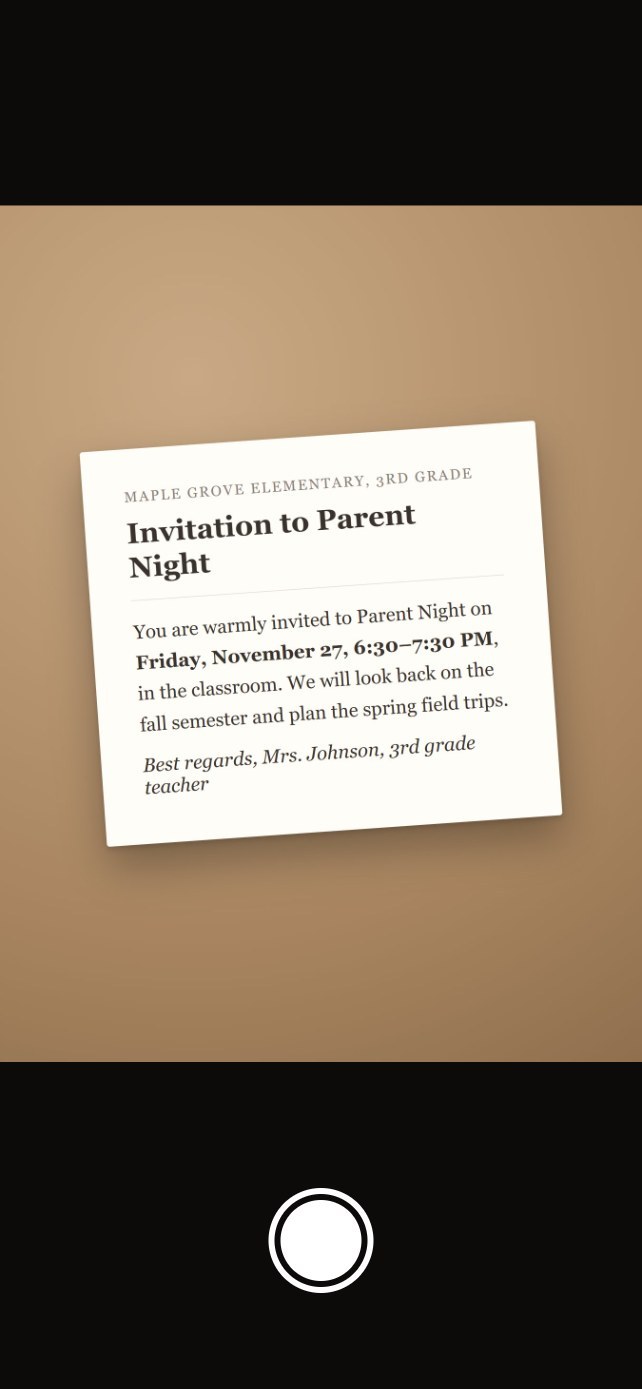
  3. Or photograph the flyer

    Flyers from school, schedules and newsletters. PDFs, Word files and emails work too.

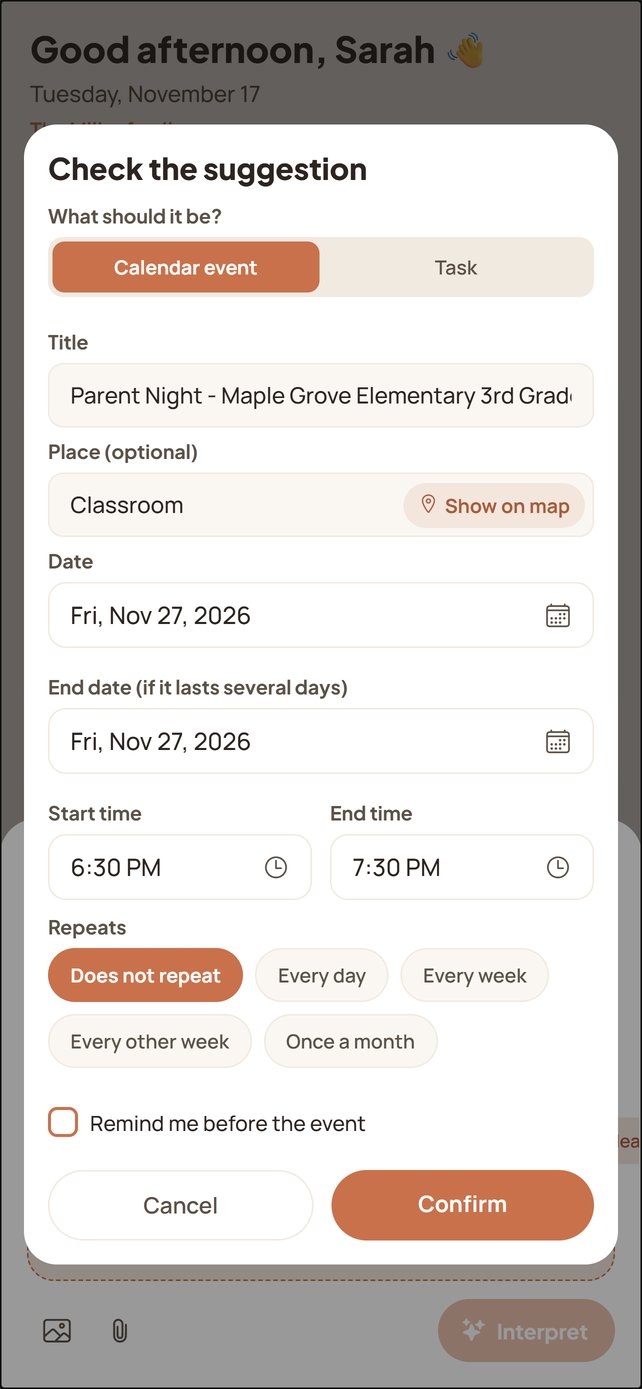
  4. Everything from the flyer, filled in

    Friday, November 27, 6:30–7:30 PM, in the classroom, without you typing a thing.
Try it yourself

Tap an example and see what happens.

Recorded in Bestyr, with the app’s real responses.

Email invitations in

Forward the email. Bestyr does the rest.

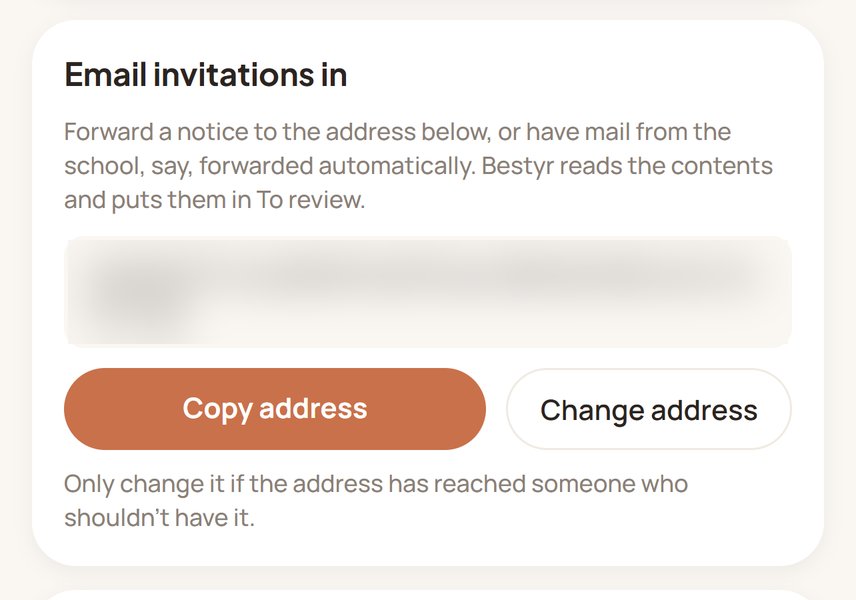
Everyone in the family can have their own secret address. Forward emails from school or a club, and Bestyr reads the content and puts a suggestion in To review.

  1. Email invitations in, shown in the profile with the address blurred
    1

    Your own address

    You’ll find it in your profile. Emails from school can also be forwarded there automatically.

  2. Forward
    Toyour Bestyr address
    SubjectFwd: Parent–teacher meeting for Emma

    Dear parents, you are invited to a parent–teacher meeting for Emma on Wednesday, December 2 at 3:30 PM in classroom 3B. The meeting takes about 30 minutes.

    Kind regards, Mrs. Johnson, class teacher

    Send
    2

    Forward the email

    From your usual email account, just like any other email.

  3. 3

    Bestyr lets you know

    The suggestion waits on the home screen and under To review, and you get a notification.

  4. 4

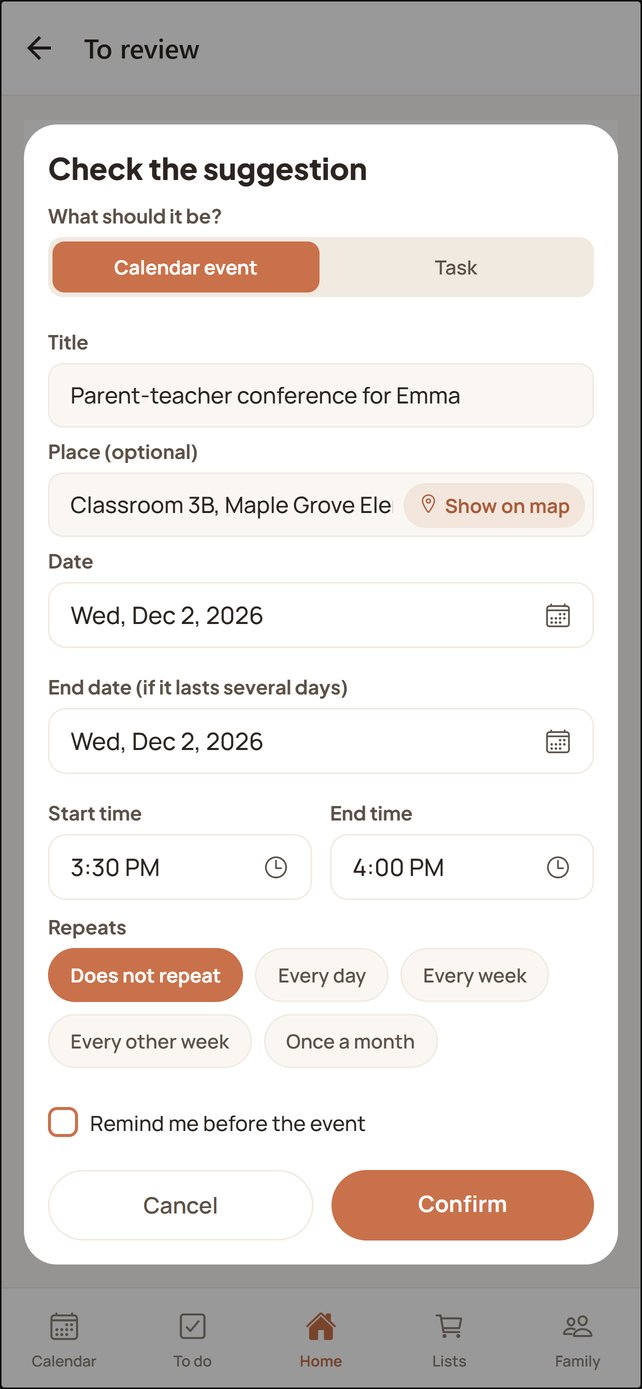
    Review and save

    Wednesday, December 2, 3:30–4:00 PM, classroom 3B. Bestyr worked out the end time from “about 30 minutes”.

Nothing is saved until someone in the family has reviewed the suggestion. The address is secret and can be changed if it ends up with the wrong person.

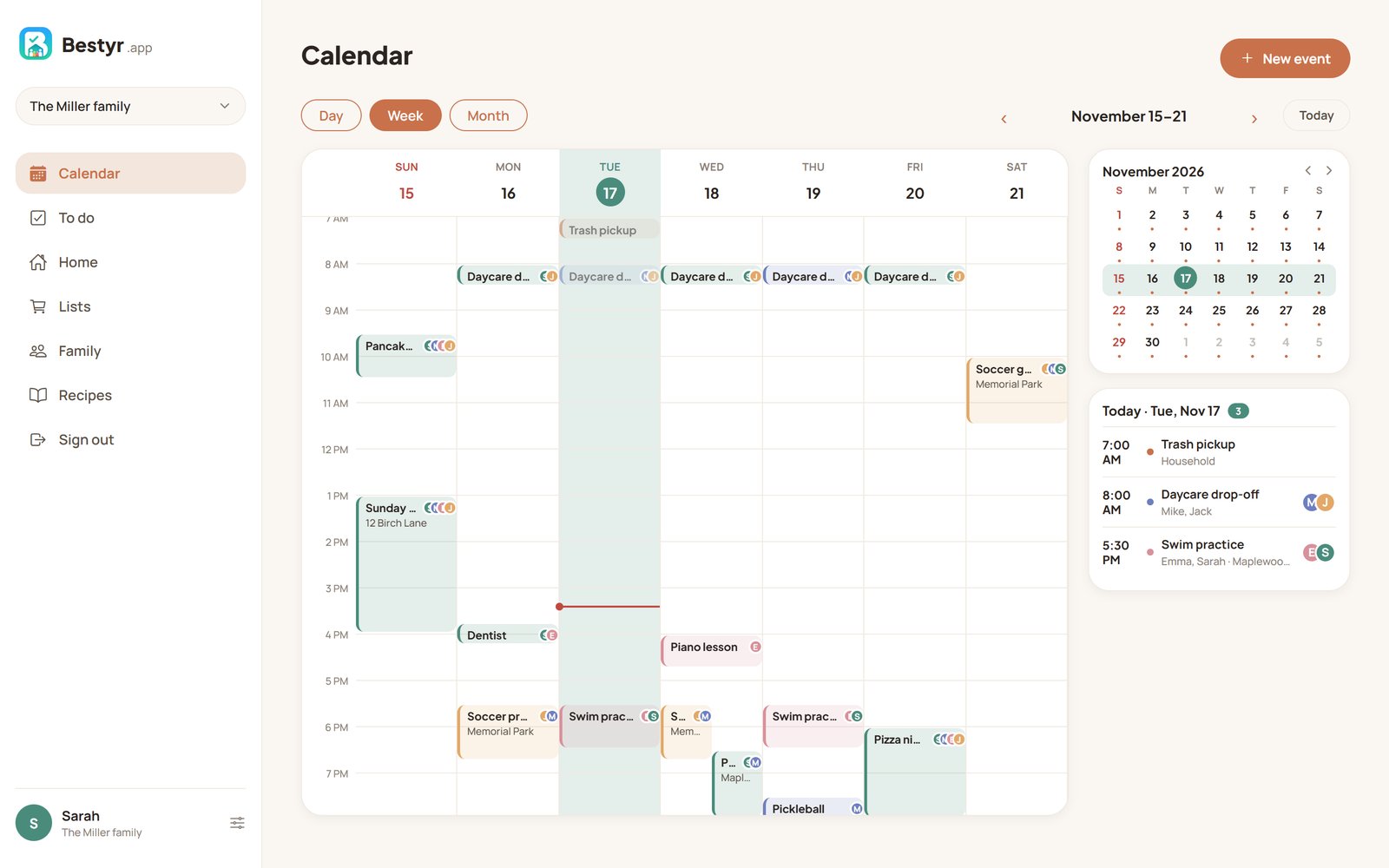
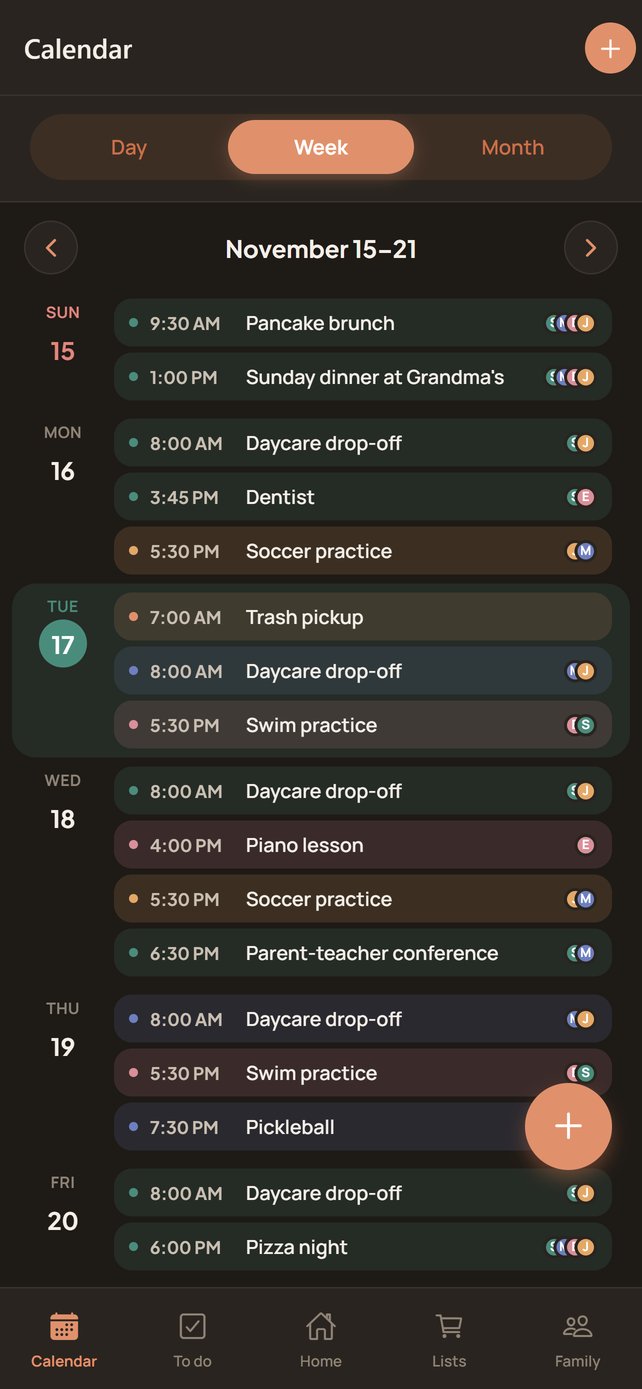
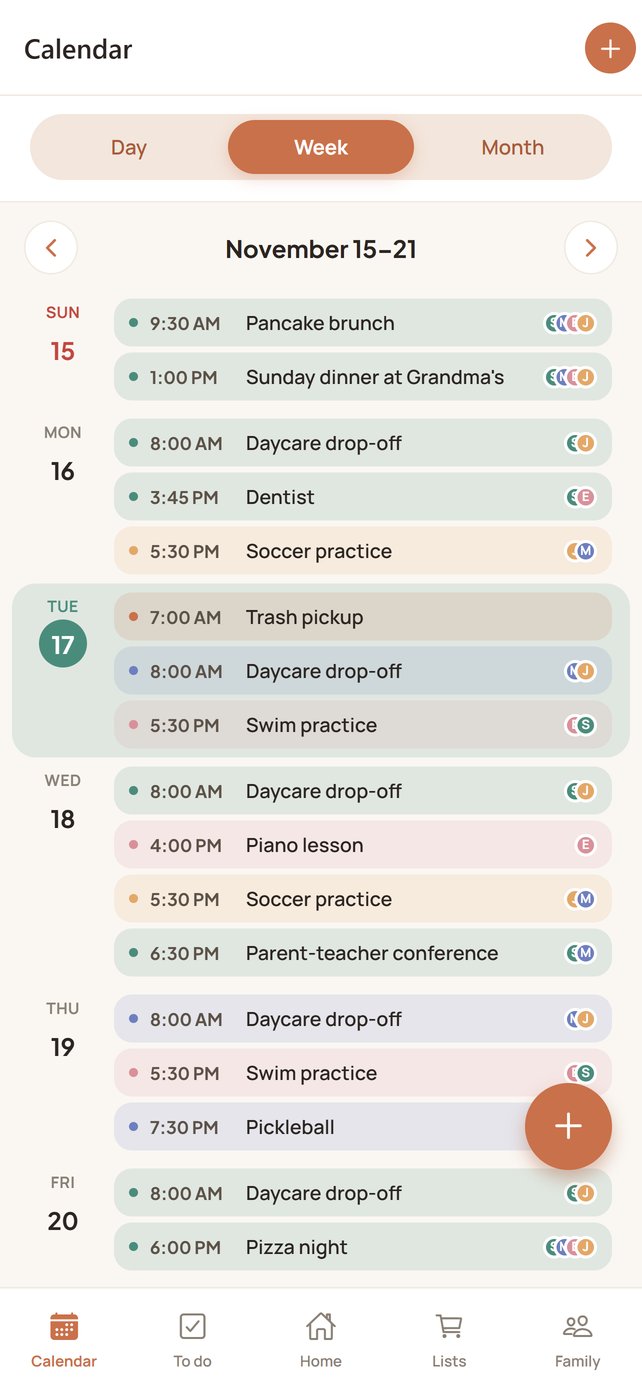
Family calendar

Everything in one place. Everyone up to date.

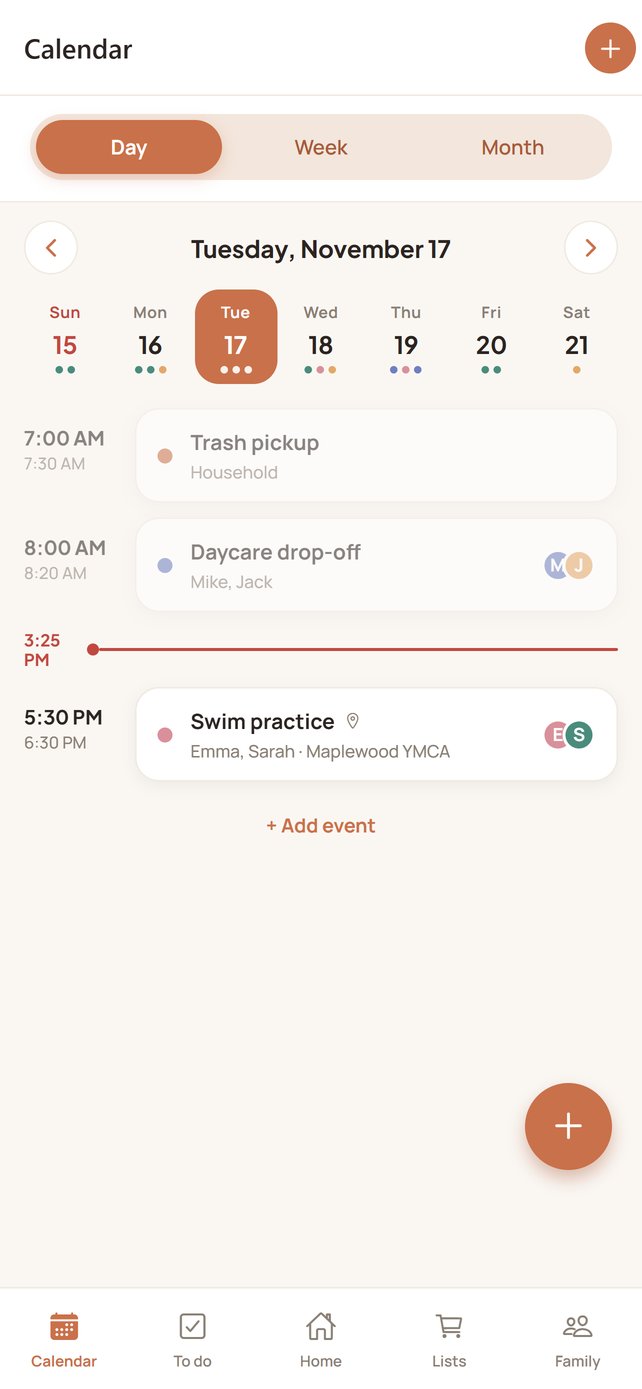
  • One color per personYou can see at a glance whose activity it is.
  • Who’s goingAnyone who is tagged can accept or decline.
  • Changes show up instantlyIf someone moves a time, it changes on everyone’s phone.

Try Bestyr free for a month.

Free for a monthWhole family includedNo commitment
A day with Bestyr

An ordinary Tuesday. Without anyone having to ask.

Tasks, shopping and dinner, as they look in the app on a perfectly ordinary day.

  1. Who’s taking Jack?

    It’s already on the home screen on everyone’s phone: Mike takes Jack at 8:00 AM.

  2. To do: Schedule the car inspection

    Assign the task with a tap. Whoever gets it receives a notification.

  3. Dish soap has run out

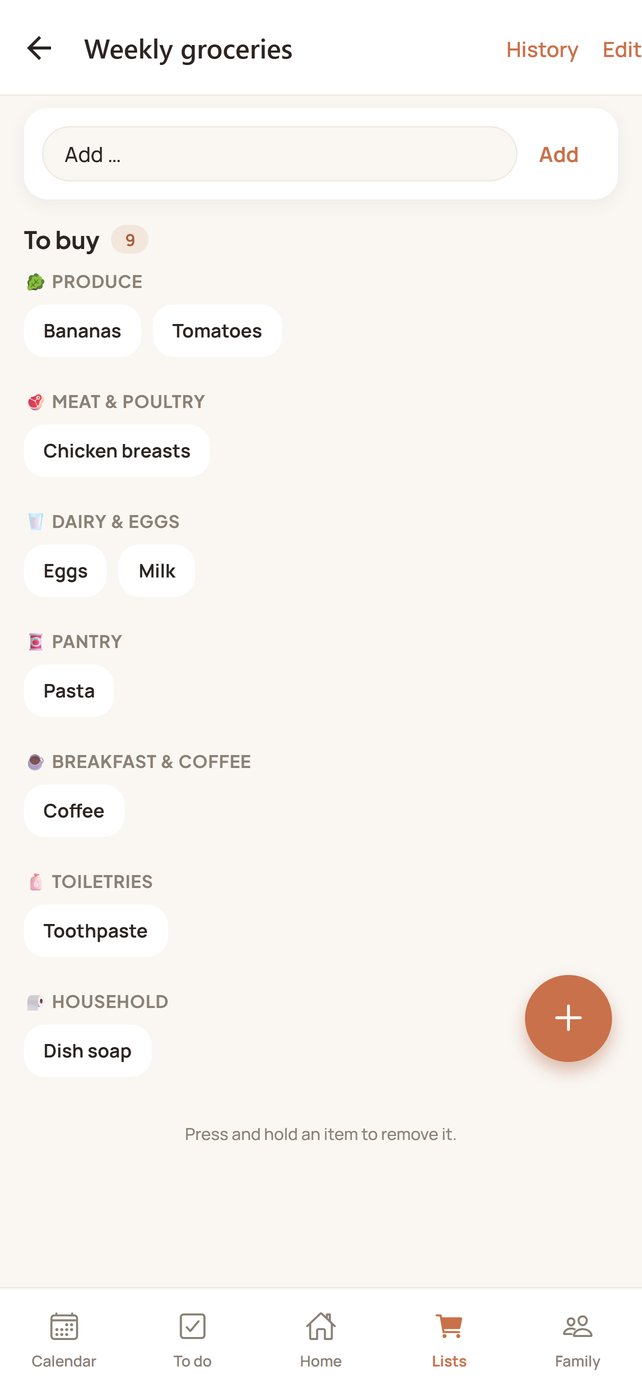
    Whoever notices adds it. It appears on everyone’s list right away.

  4. At the store

    The list is sorted by aisle, so you get around the store in one go.

  5. Dinner is already decided

    This week’s plan says Mac and cheese. One tap adds the ingredients to the shopping list.

  6. Chores with points

    The children check off their chores and collect points.

And much more

Everything else that comes with running a home.

The Bestyr app: A clear view of your finances
Finances

A clear view of your finances

Income, fixed costs and what’s left each month, with budgets and savings goals.

The Bestyr app: All the paperwork in one place
Documents

All the paperwork in one place

Insurance, contracts and receipts, sorted into categories the whole family can access.

The Bestyr app: The family address book
Contacts

The family address book

School, the dentist, relatives and the plumber. Call, text or email in one tap.

The Bestyr app: Biscuit has a profile too
Pets

Biscuit has a profile too

Breed, weight, vet, medication and routines for the family’s pets.

The Bestyr app: The next dose in the calendar
Vaccinations

The next dose in the calendar

Vaccinations for children and pets. The next dose goes into the calendar, with a reminder in the mobile app.

The Bestyr app: From recipe to shopping list
Recipes

From recipe to shopping list

One tap adds the ingredients to the list. Anything you already have at home is skipped.

Family

One family. One shared system.

Built for the whole household, and for the families you do things with.

Within the family

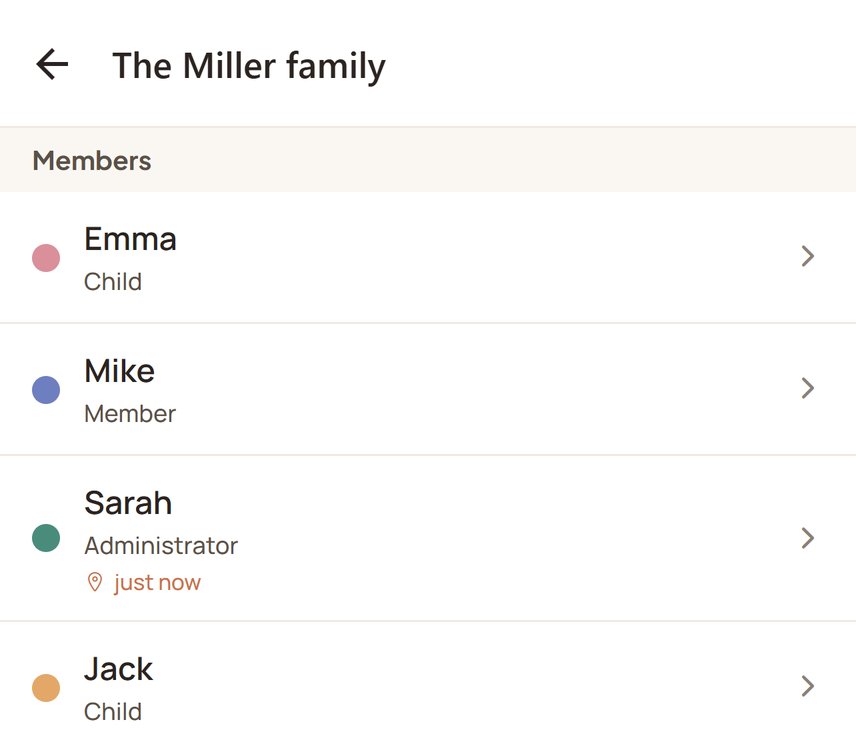
Everyone has a profile

Each person in the family has their own profile and a role that sets what they can do.

The member list for The Miller family, with four people and their roles
  1. Sarah is an administrator. She looks after the household’s settings.
  2. Emma and Jack are children. They have their own profiles with child permissions.
  3. Mike is a member. He has the same permissions as any adult.

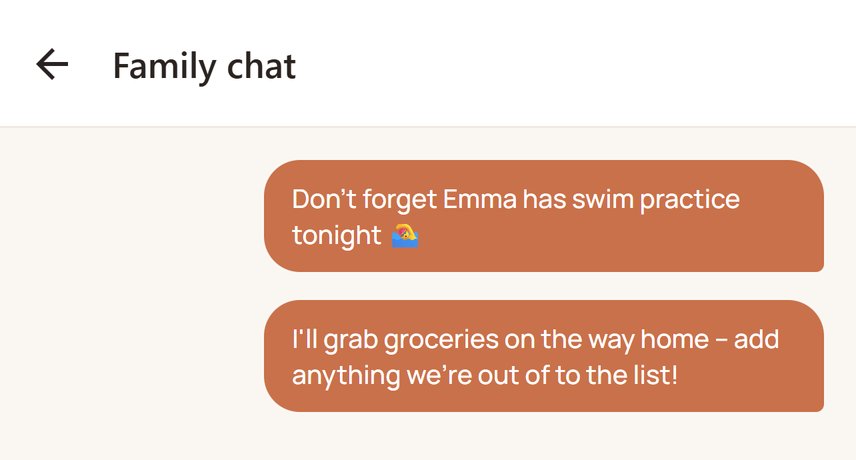
Family chat

Short messages to the whole family, kept apart from everything else you send each other.

The family chat with two messages
  1. A note about this evening. A reminder about Emma’s swimming.
  2. A question for everyone. Add whatever is missing to the shopping list.

Everyone in the family gets a notification when someone writes.

The children’s details in one place

What you need to know about the children, somewhere every adult in the family can reach.

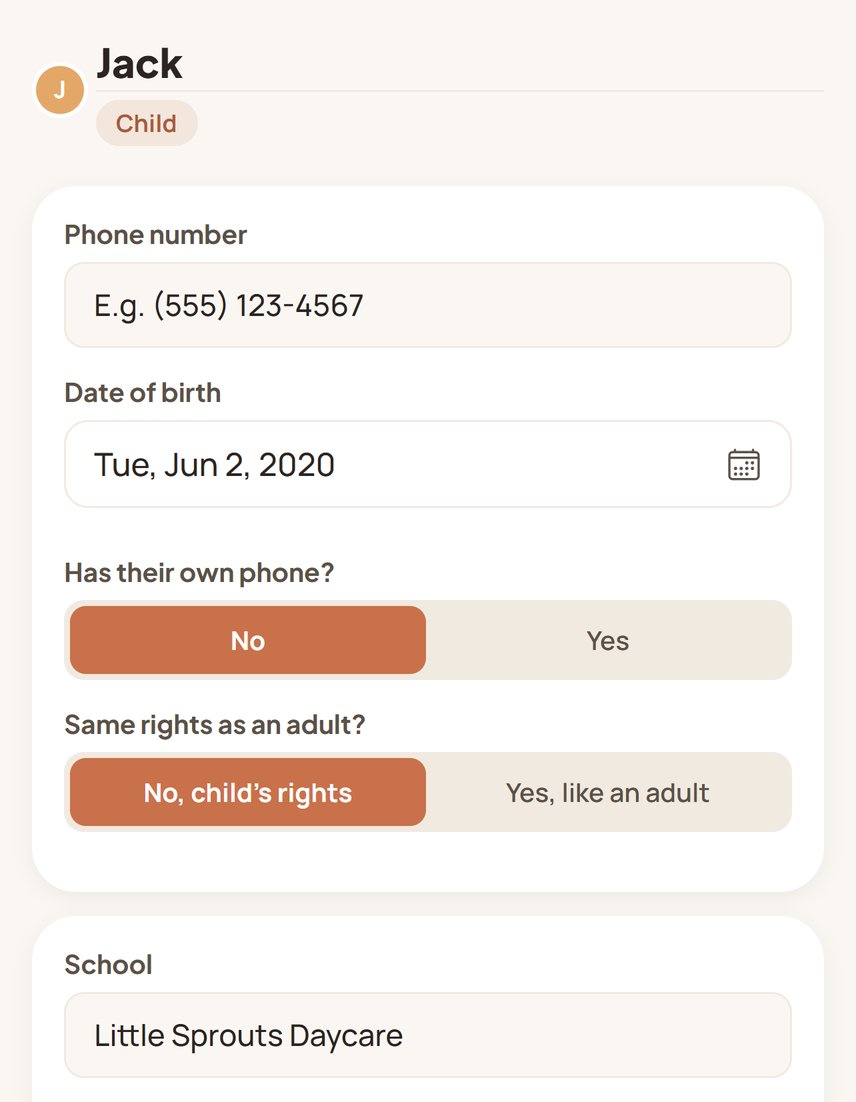
Jack’s profile with role, phone and school
  1. Jack is registered as a child.
  2. He doesn’t have his own phone. The adults manage his profile.
  3. His school is saved, along with his birthday and sizes.
10

Up to ten people in one family

One subscription covers the whole household, however many of you there are.

With other families
Invite other families

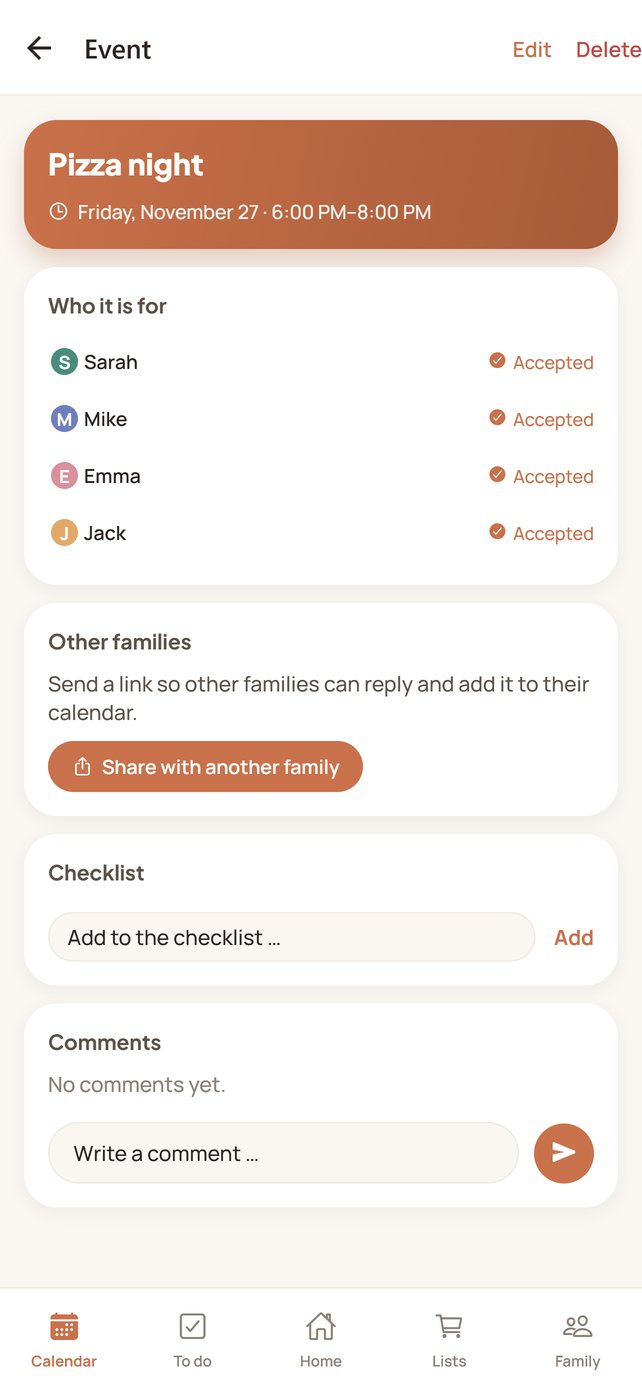
Pizza night with other families.

Send a link to the families you want to invite. They reply to say whether they’re coming, and you get a notification. If you change the time or place, the change reaches everyone who is coming.

  1. 1

    Open the event

    Under Other families, tap Share with another family.

  2. 2

    Send the link

    Share it with the families by text message or in the group chat.

  3. 3

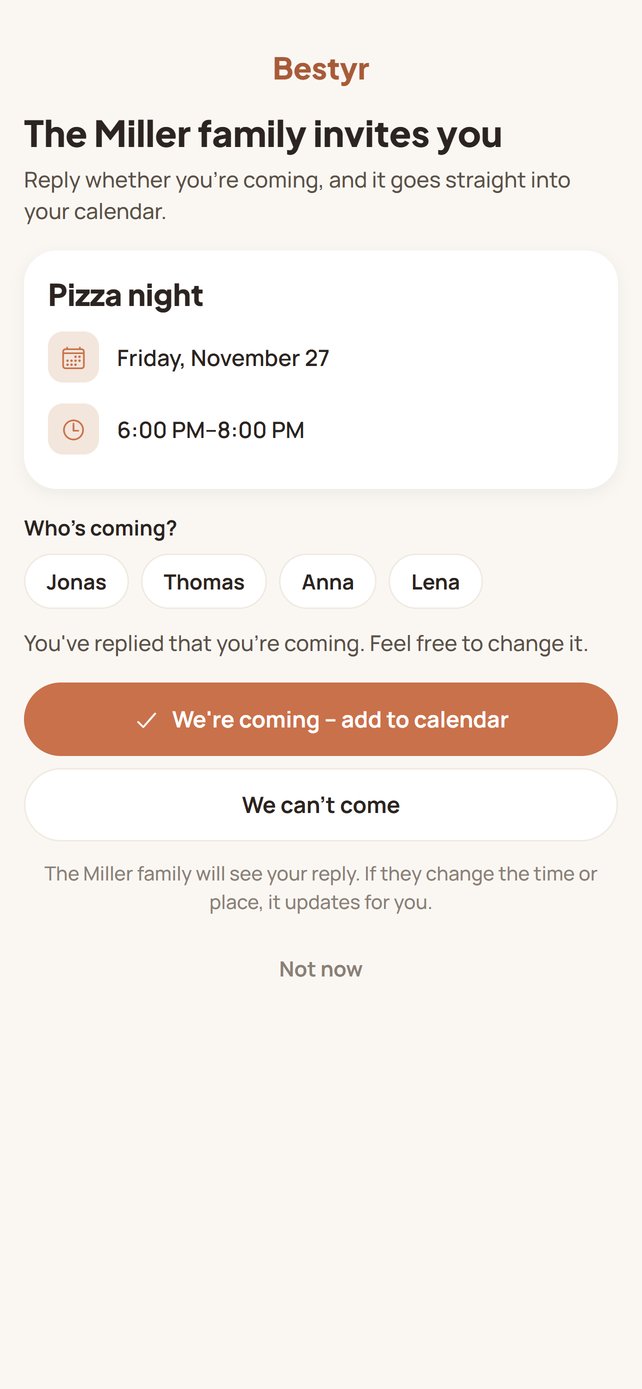
    They reply

    Familie Weber chooses who is going and replies We’re coming. The event goes straight into their calendar.

  4. 4

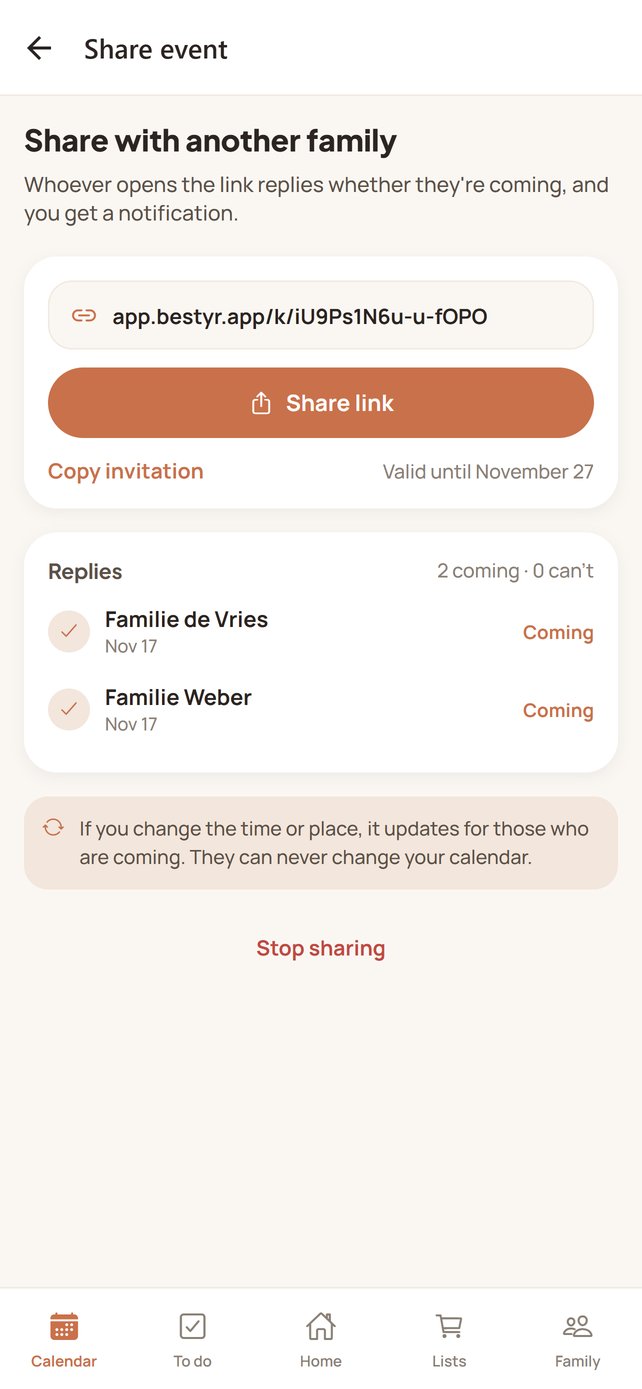
    You see who is coming

    Familie Weber and Familie de Vries have replied. You get a notification for each reply.

Families without Bestyr can add the event to their phone’s calendar. The link works until the event is over and can be switched off with Stop sharing, and the people you invite can never change anything in your calendar.

Shared parenting

Two homes. One child.

Link the child’s profile between two households. Whatever concerns the child is the same in both homes, and each home decides the rest for itself.

At Mom’s
N
NoahChild · 8 years
Linked
Shared
BirthdayMay 14, 2018
AllergiesNutsPollen
SizesTrousers 8–9 yrs · Shoes 13
SchoolMaple Grove Elementary
Only here
Allowance$5
ChoresSet the table
Mom added Pollen
At Dad’s
N
NoahChild · 8 years
Linked
Shared
BirthdayMay 14, 2018
AllergiesNutsPollen
SizesTrousers 8–9 yrs · Shoes 13
SchoolMaple Grove Elementary
Only here
Allowance$4
ChoresFeed the cat
Shows up here right away

Shared between both homes: name, birthday, allergies and medication, vaccinations, sizes, favorite meals, school, phone and wishlist.

Each home decides for itself: color, allowance, notes and what the child does in that home’s calendar, chores and lists.

  1. 1

    Link the profile

    In the child’s profile, choose the other household and who the child is there.

  2. 2

    The other home approves

    A yes from one administrator in the other household is enough.

  3. 3

    Choose what applies

    Where something differs, you choose once. Allergies, favorite meals and vaccinations are merged, so nothing is lost.

Applies to child profiles. If you unlink them, both homes keep the details as they are.

Everywhere

Always close at hand.

Bestyr is on iPhone, Android and in the browser on your computer. Everything syncs in real time, whoever makes a change and wherever they make it.

Peace of mind

Peace of mind without spying.

Location sharing is optional and everyone decides for themselves. No one is tracked in the background.

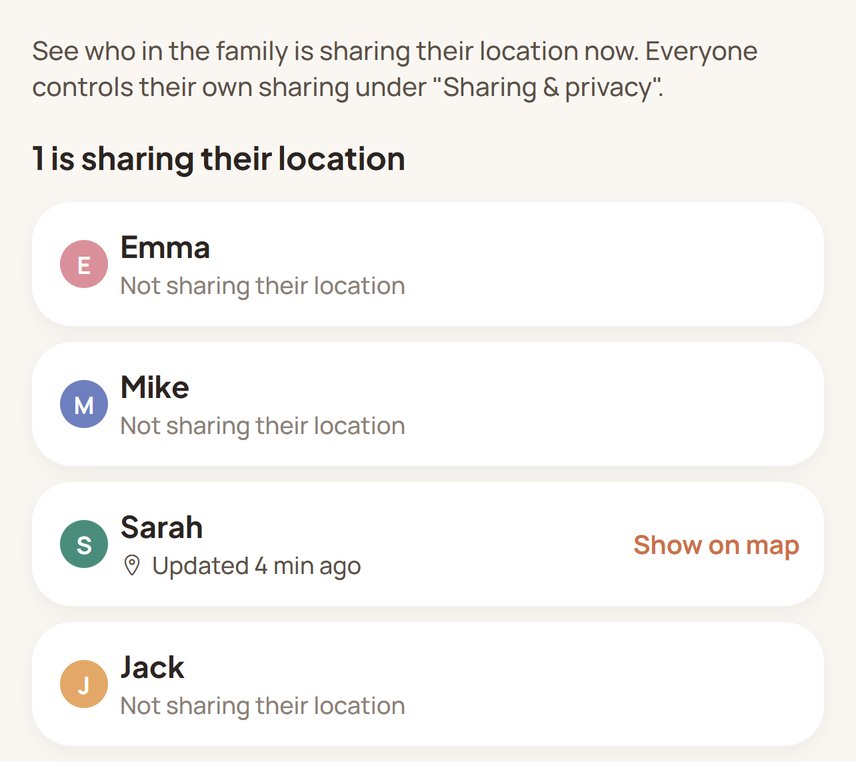
Family map

See who is sharing their location right now, and when it was last updated.

The family map, with Sarah sharing her location
  1. Sarah is sharing her location. It was updated four minutes ago, and Show on map opens it.
  2. Mike and the children aren’t sharing. Everyone can see that clearly.

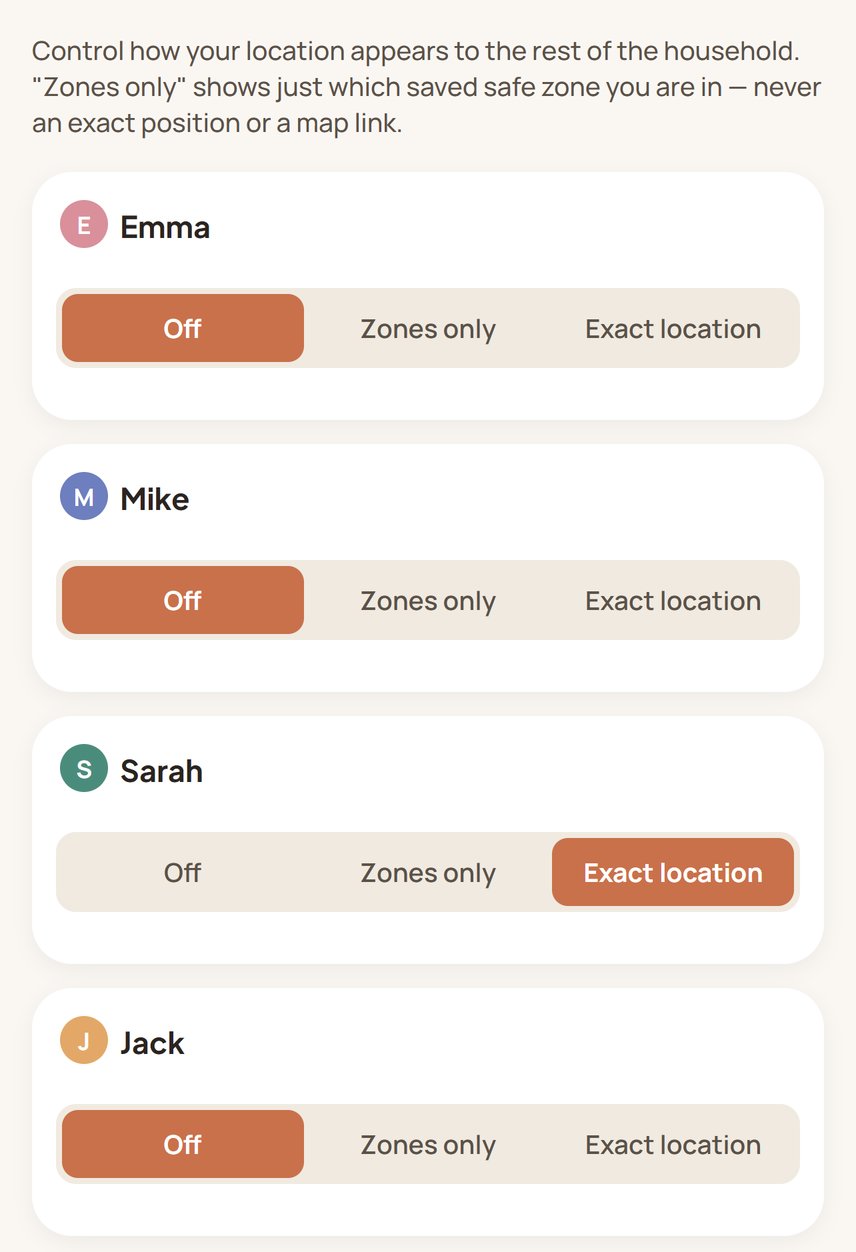
Sharing & privacy

Everyone chooses for themselves how much the rest of the family can see.

Sharing & privacy, with one setting per person
  1. Mike has chosen Off. His location isn’t shown at all.
  2. Sarah has chosen Exact location. With Zones only, the others just see which zone you are in.

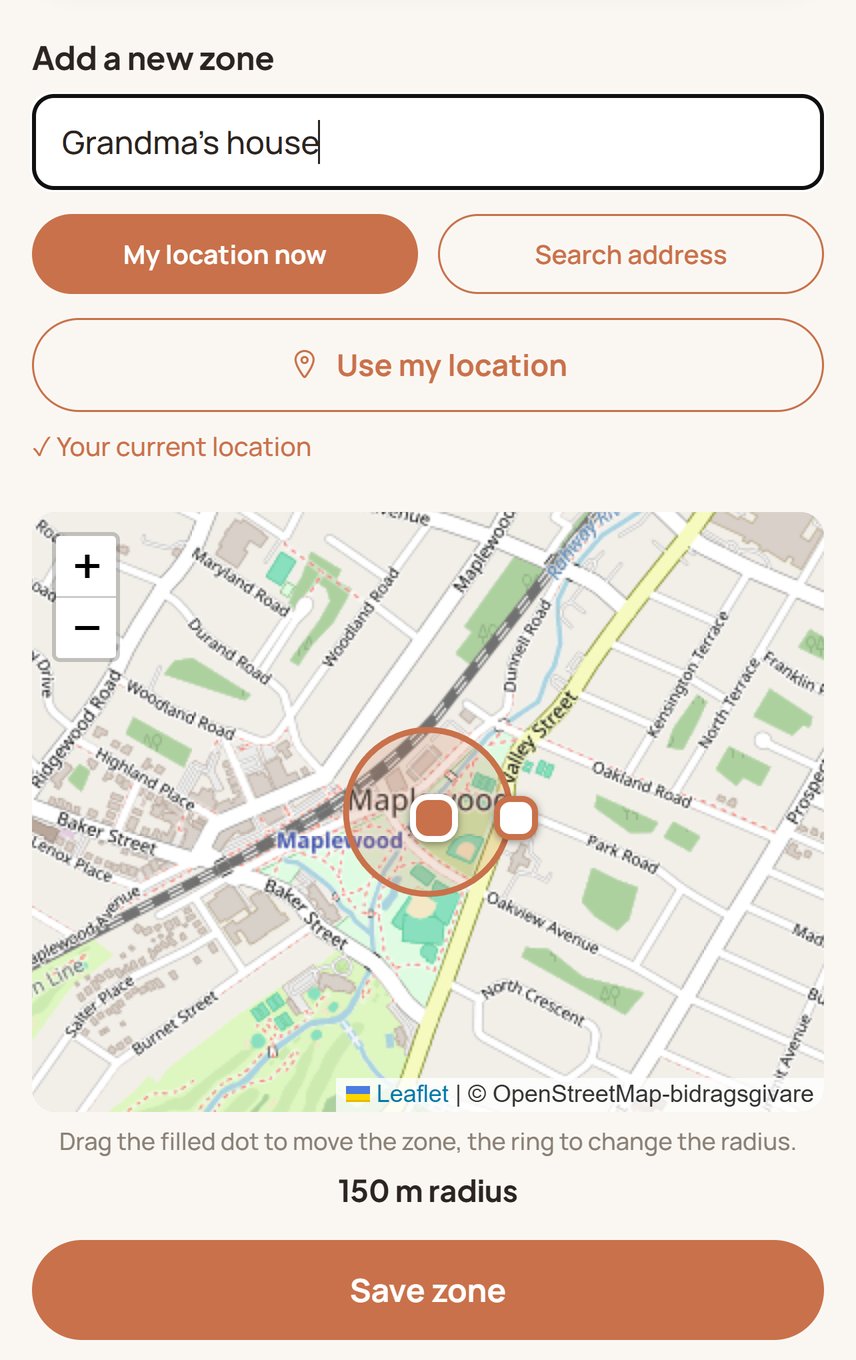
Safe zones

Save places such as home, school or Grandma’s house.

A new safe zone being drawn on the map
  1. Name the zone, for example Grandma.
  2. Move and adjust it on the map. Drag the dot to set the place and the ring to set the radius.
  3. Save. Home and School are already there.

The family gets a notification when someone arrives at or leaves a zone. Notifications come through the mobile app.

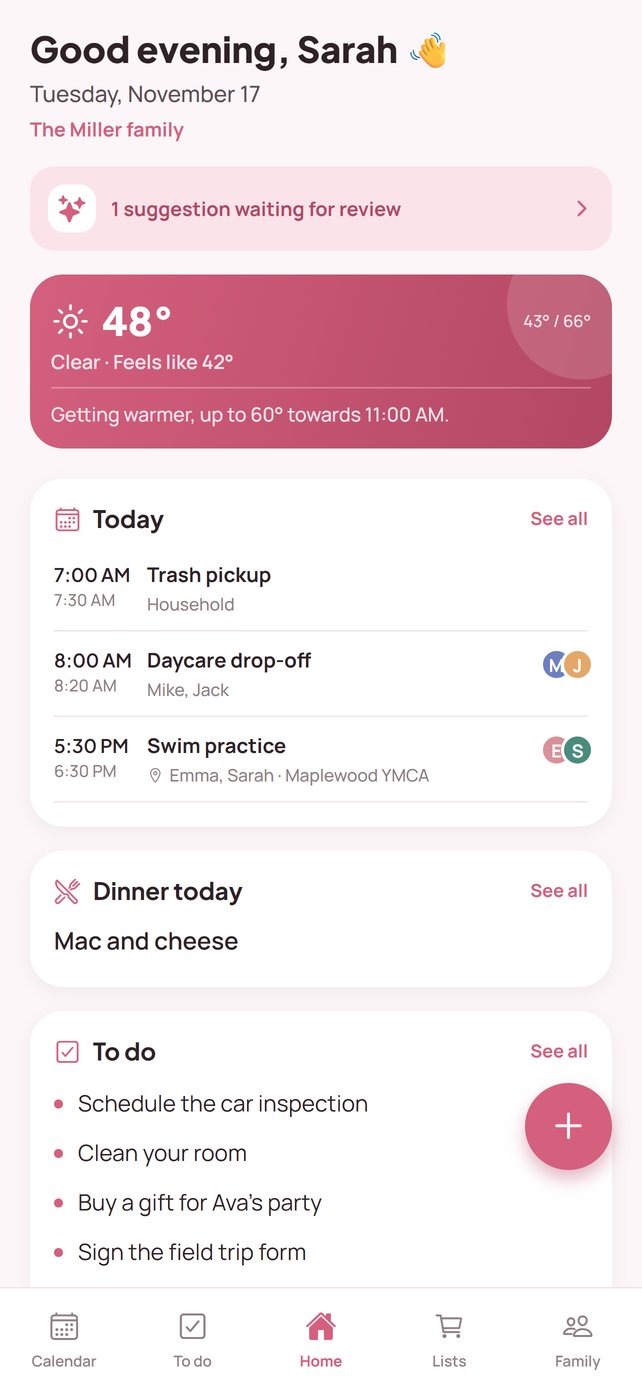
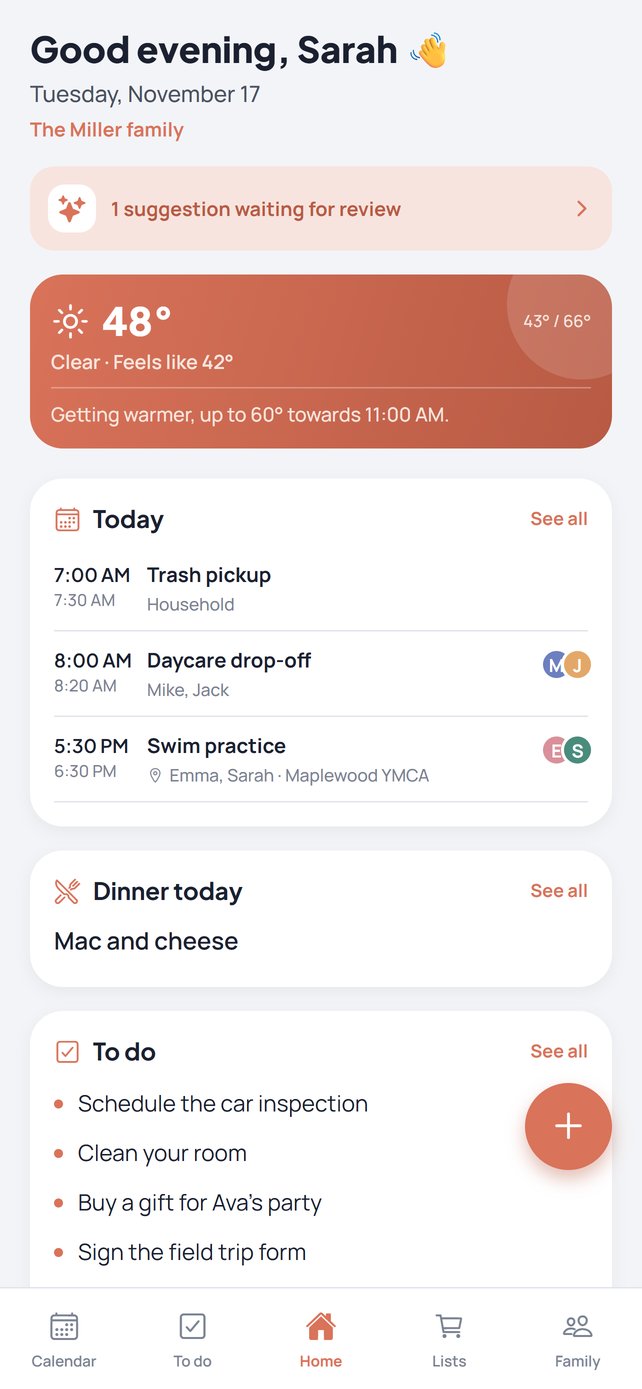
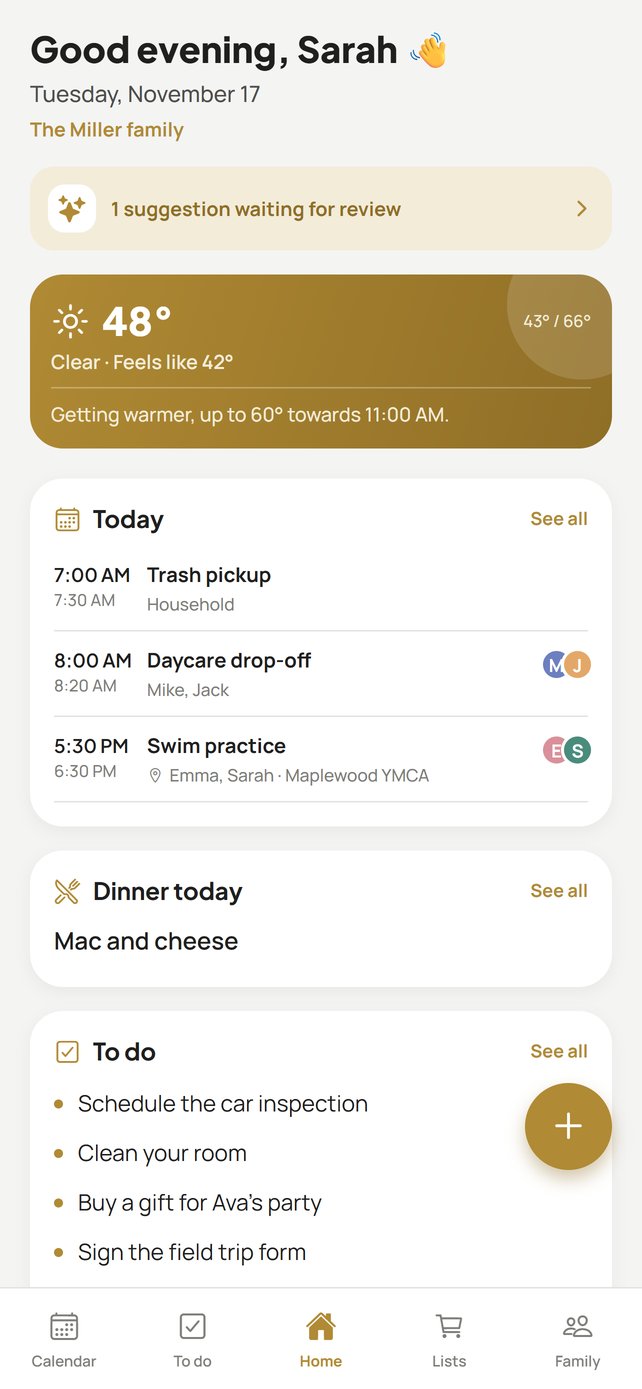
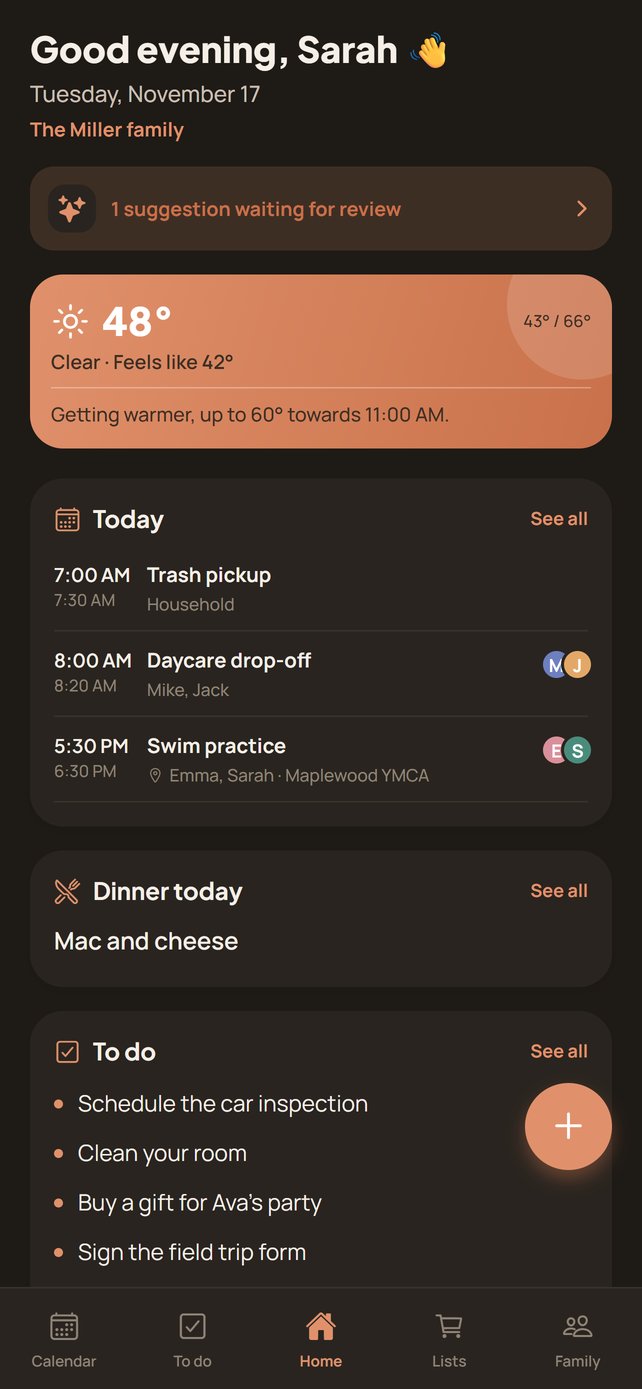
Your Bestyr

Which one suits you today?

Terracotta

Bestyr’s default theme – warm and natural.

Eight color themes, each with a light and a dark mode. Change it under Settings → Appearance.

More time for the family. Less time organizing it.

Free for a monthWhole family includedNo commitment
Frequently asked questions

Good to know before you start.

What is Bestyr?

Bestyr is a family app where the whole household shares a calendar, shopping lists, chores, meal plans and recipes. It works on iPhone, Android and the web, and AI can add events for you – from a photo of a school flyer or a forwarded email, for example.

Does everyone in the family need the app?

No. Bestyr also works in the browser at app.bestyr.app, and children without a phone of their own can have a profile without signing in.

How much does it cost?

The first month is free. After that it’s Bestyr Premium, one subscription for the whole household with no commitment. You can see the current price on the App Store or Google Play.

Does it work with the calendar I already use?

Yes. You can subscribe to the Bestyr calendar in Google Calendar, Apple Calendar or Outlook, and show your work calendar in Bestyr so the family can see when you’re busy.

How many people can join?

Up to ten people in one household. You can also belong to more than one household, for example when children live in two homes.

Who sees what?

Whatever you add is shared with the family. Private events and notes are visible only to you, and location sharing is optional for everyone. Read more in our privacy policy.

Can we cancel whenever we like?

Yes. The subscription has no commitment and you cancel it wherever you bought it.

Does Bestyr work on both iPhone and Android?

Yes. Bestyr is on the App Store for iPhone and on Google Play for Android, and the web app at app.bestyr.app works in any browser. Everything syncs in real time, whatever the device.

Can children have their own profile?

Yes. Child profiles need a parent’s or guardian’s consent and have more limited access than adults. Children without a phone of their own can have a profile that the adults manage.

Does Bestyr work for families living in two homes?

Yes. Events can be linked between two households and child profiles can be connected to both, so allergies, sizes and school are the same in both homes.

Where is our data stored?

Your family’s calendar, lists, photos and documents are stored in the EU and are never sold to third parties. For payments, email delivery and the AI features we use a few providers that may process data in the US, with the safeguards GDPR requires.

Download BestyrFree for a month · Whole family included